Published on: 18/11/2025 · Last updated on: 19/11/2025
Recommended actions
FeedbackFruits activities are provided by an external service, and as such there are some differences in how they behave compared to other Moodle activities. The following recommended advice explains how to deal with FeedbackFruits activities at the end of the academic year, before the Moodle upgrade and archive snapshot process takes place (at the end of July).
FeedbackFruits are not accessible in the Moodle Archive
If staff or students attempt to access an activity from a Moodle archive, they will receive an error message. This means that staff and students cannot revisit the activity in the normal way; to view submissions, analytics or feedback.
We therefore recommend the following actions are taken before the Moodle upgrade takes place (usually the end of July) and the Moodle archive snapshot is captured.
Export submissions
Export submissions (where relevant, e.g. if the activity was a ‘summative’ one and you need to store submission copies in line with local processes for assessment regulations).
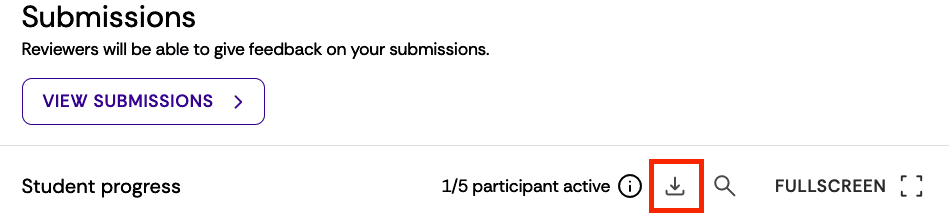
To download all submissions, go to the relevant Submissions Section and click the download icon.
Export student analytics (to Excel)
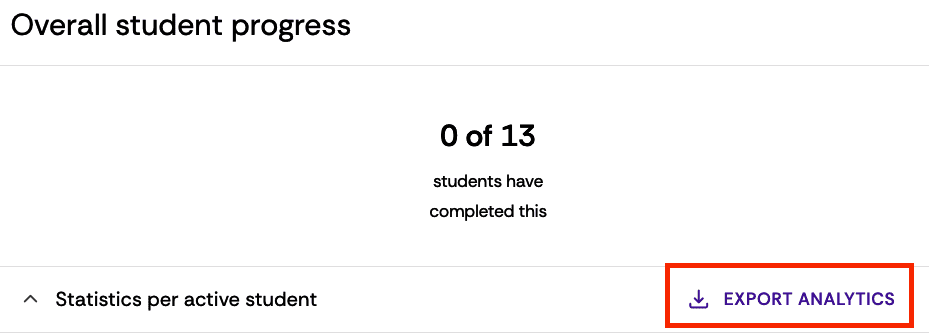
Export student analytics (to Excel) so that you have a record of grades, assessment or feedback comments.
Select the activity, and in the Overall student progress section click the Export Analytics button. This will download a spreadsheet with current data.
Advise students to export their feedback
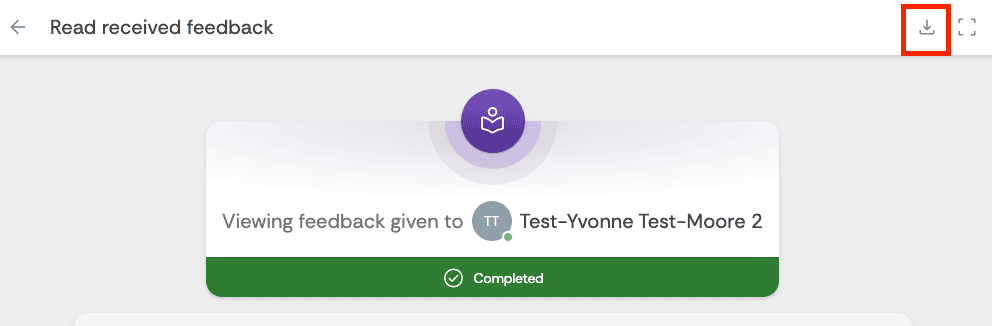
Advise students to export their individual feedback (PDF), so they can refer back to it in order to help them with future assessment activity. Staff can also access these documents but only one at a time, they can’t be exported in bulk.
Advise students to access the activity and click ‘View feedback’ and then click the download button to export their feedback to a PDF file.
FeedbackFruits activity data persists even when new cohort arrives
FeedbackFruits activities retain student data even if those participating students have been unenrolled from your Moodle space. This is different to other Moodle activities. This means that when preparing for new cohorts you need to create new FeedbackFruits activities.
Deleting activities
We therefore recommend that once you have exported all the relevant submissions, analytics and feedback from your FeedbackFruits activities, you should delete them.
For new cohorts you can easily recreate the activity based on all the settings from the previous one. (Use the Copy and Edit feature when creating a new activity based on past activities stored in the My Library area).
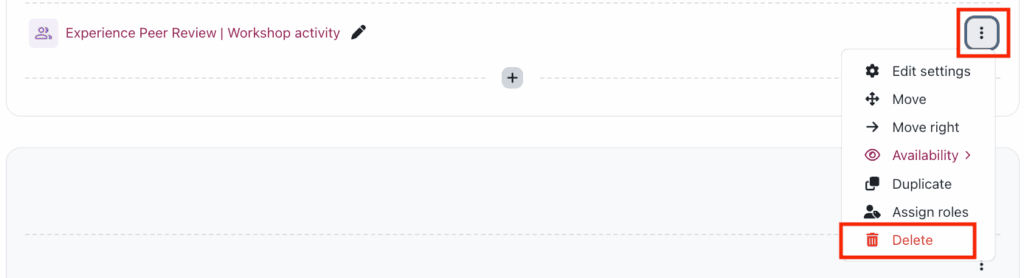
Visit the relevant Moodle space and in Edit mode select the three dot icon to the right of the FeedbackFruits activity and select Delete.